


Engine Product Editions
Running 1000s of optimization models in parallel is no easy feat (detailed in one of our Customer Success Studies ). We’ve been utilizing Kubernetes in our AWS cluster to provide scalable service for our customers. Our in-house version of Engine, which is now called Engine K, is powering our Engine SaaS solution since 2022.
We currently have 3 solutions:
-
GAMS Engine SaaS is the solution for running GAMS on the cloud. Zero maintenance.
-
GAMS Engine One is the single-node solution for running GAMS on-prem or on the cloud via Docker compose.
-
GAMS Engine K is the on-prem solution for the people who would like to utilize Engine on multiple nodes with heterogeneous workers.
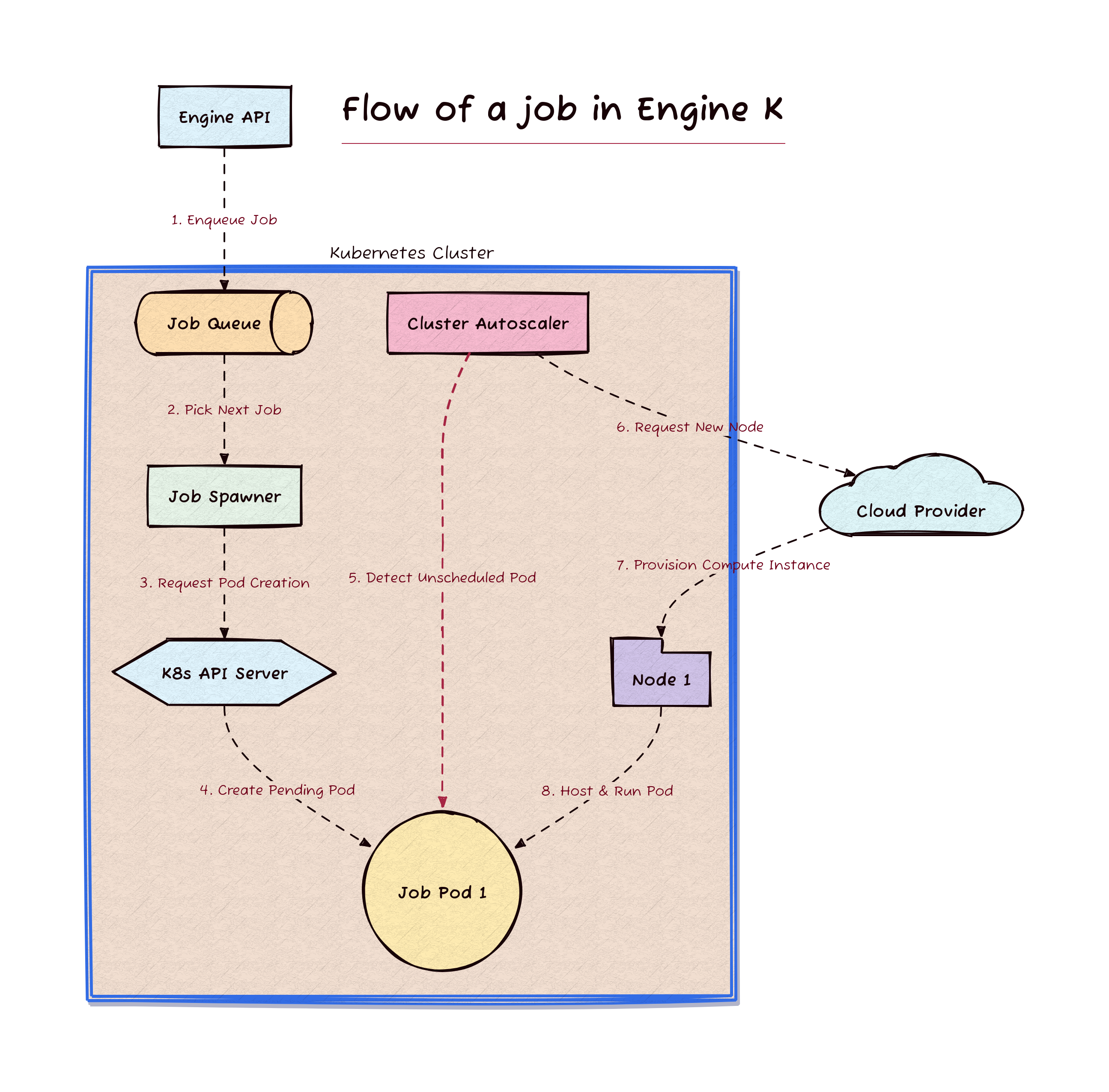
Figure 1. Workflow of job execution and dynamic cluster autoscaling in Engine K. The process begins when the external Engine API enqueues a job into the Job Queue (1), from which the Job Spawner picks the next job (2) and requests pod creation from the K8s API Server (3). The API Server then creates a pending Job Pod 1 (4), prompting the Cluster Autoscaler to detect the unscheduled pod (5) and request a new node from the Cloud Provider (6). Finally, the Cloud Provider provisions the compute instance as Node 1 (7), allowing it to successfully host and run the active job pod (8).
Getting a Kubernetes Cluster is easier than ever!
Often running a production-grade Kubernetes cluster requires a team to maintain the cluster. While in many cases, it stays true, it does not mean that you cannot get quickly started (as two of the authors are in that team, we cannot downplay necessity of having experts :D). Projects like K3s make it possible to host your Kubernetes cluster quickly!
You can have an “enterprise-grade Kubernetes” without a massive cloud footprint. Installing the Engine Helm chart, you can run the Engine K stack even on a single machine using CNCF certified K3s, a lightweight Kubernetes.
The advantages of using GAMS Engine K are:
- Deployment: Easily installed and managed via Helm charts.
- Precision Scaling: Supports heterogeneous workers. Users can request specific CPU and RAM resources for a particular job, ensuring heavy models get the power they need while smaller jobs stay lean.
- Governance: Administrators can set granular limits, controlling exactly how many resources specific users or groups can request.
Step-by-Step: Zero to GAMS Engine K in 5 Minutes
In this section, we will demonstrate how having a machine, ssh access and helm cli installed are enough to have your Engine K running on Kubernetes.
Here is video recording, either you can follow the video or the documentation below.
Start by installing K3s
On any Linux machine run this one-liner to get a fully certified and secure Kubernetes cluster (requirements of K3s ):
curl -sfL https://get.k3s.io | sh -

# Check for Ready node, takes ~30 seconds
sudo k3s kubectl get node
By default, k3s stores its configuration in /etc/rancher/k3s/k3s.yaml, which
requires root access. We copy the kubeconfig to a non-root location:
mkdir -p ~/.kube
sudo cp /etc/rancher/k3s/k3s.yaml ~/.kube/config
sudo chown $(whoami):$(whoami) ~/.kube/config
chmod 600 ~/.kube/config
See your node (the machine running your cluster) is ready:
# Now you can just run:
sudo k3s kubectl get nodes
Get Helm and add GAMS Repo
We are using Helm (The package manager for Kubernetes) to install Engine K. If you do not have Helm in your machine:
curl -fsSL https://raw.githubusercontent.com/helm/helm/main/scripts/get-helm-3 | bash
The Engine K Helm Chart is available at: https://github.com/GAMS-dev/engine-helm-chart
helm repo add gams https://charts.gams.com/

helm repo update
Deploy Engine K
We would like to highlight a key feature: Engine K is as small or as large as
you need it to be. You don’t need a massive cloud cluster to get started. For
testing purposes, it is also suitable for normal demand environments. The
resources can be specified in values.yaml:
broker:
  uwsgi:
    resources:
      limits:
        memory: 512Mi
      requests:
        cpu: 300m
        memory: 512Mi

postgresql:
  resources:
    limits:
      memory: 512Mi
    requests:
      cpu: 500m
      memory: 512Mi

mongodb:
  resources:
    limits:
      memory: 512Mi
    requests:
      cpu: 500m
      memory: 512Mi

rabbitmq:
  resources:
    limits:
      memory: 512Mi
    requests:
      cpu: 500m
      memory: 512Mi
ingress:
  enabled: true
  ingressClassName: "traefik"
After creating this yaml file, run the following command to install the Engine K helm chart:
# Install the Engine:
helm install -n gams-engine \
          -f values.yaml \
          --create-namespace \
             my-gams-engine \
             gams/gams-engine
# values.yaml is the file we created with custom configurations.
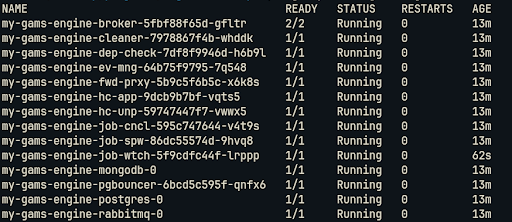
Run the following command to see all the resources that are created:
sudo k3s kubectl get pods --namespace gams-engine
When there is a new version of Engine available, you can upgrade your system via the Helm upgrade command:
helm upgrade my-gams-engine gams/gams-engine --namespace gams-engine -f values.yaml
If a new version of Engine requires migrations, then first migrations are applied and then the installation is upgraded.
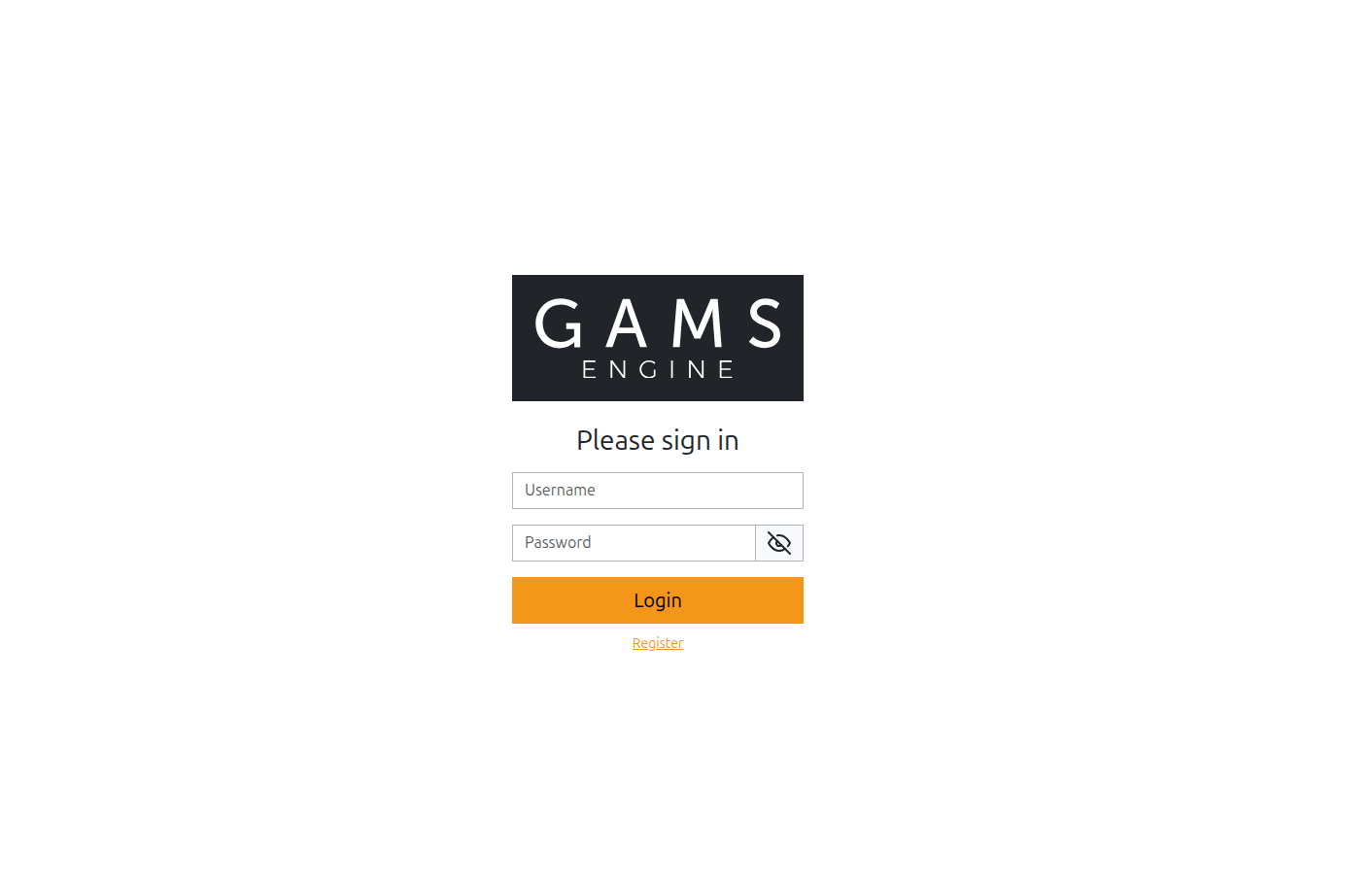
Broker pods host both Engine API and Engine UI. This is the intended way of
communicating with Engine. The broker is your door to Engine K. In the values.yaml file
we enabled ingress so that Engine should be reachable at localhost:80 and localhost:443.
Uninstalling Engine K Helm Chart
If you are done with testing, uninstalling the Engine K is as easy as installing by the following:
helm uninstall my-gams-engine --namespace gams-engine
Final notes
Getting started with Engine K is remarkably straightforward. It excels in multi-node configurations by combining Engine’s powerful user and job management tools with the full orchestration power of Kubernetes. Whether you need 2 nodes or 2,000, Engine K has you covered.
Further details related to Engine K: https://www.gams.com/engine/installation.html#engine-k-docs
For more details on Administration: https://gams.com/engine/administration.html
Our Helm Chart is available at: https://github.com/GAMS-dev/engine-helm-chart/tree/main/gams-engine