
GAMS MIRO

GAMS MIRO

Turn optimization models into interactive decision applications with intuitive workflows, rich visual analytics, and simple deployment.

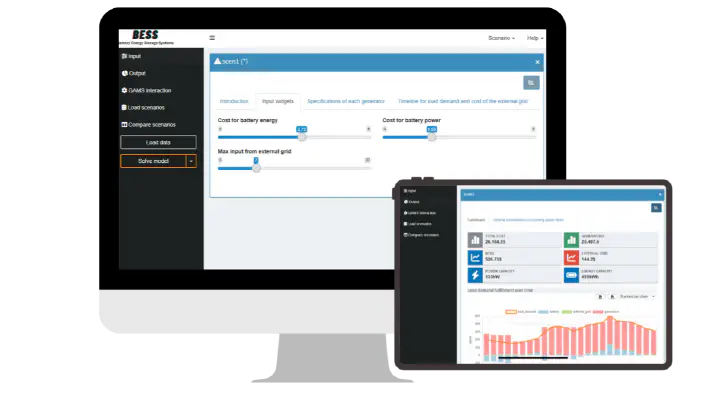
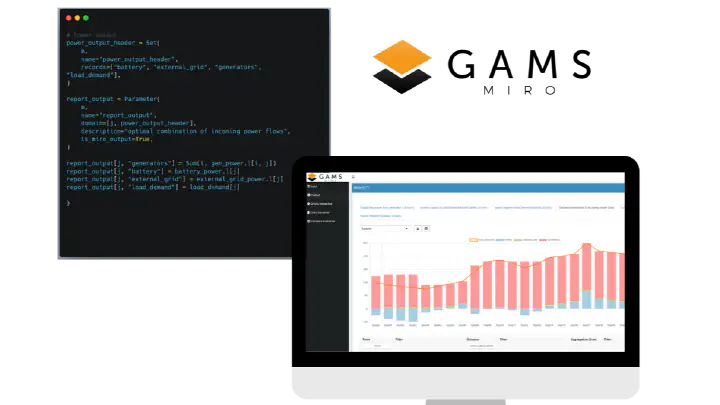
GAMS MIRO turns GAMS and GAMSPy models into user-facing applications. Build interfaces for data input, scenario exploration, and result analysis, then share them locally or online without asking end users to work directly with model code.

Use Case Operational apps for optimization and analytics
Strengths Interactive workflows, visual insights, easy sharing

Core Capabilities of GAMS MIRO

MIRO gives optimization models a practical application layer for guided inputs, repeatable runs, and interactive result exploration.


Applications for Modelers and Decision-Makers

MIRO separates model development from model usage so experts can build models while end users work through a clear, guided interface.

  • Shareable Interfaces: Turn GAMS and GAMSPy models into applications that colleagues can use without touching model code.
  • Guided Interaction: Let users work with structured inputs, run scenarios, and review results through a simple user interface.
  • Teaching-Friendly: Use interactive applications to make optimization concepts more accessible in learning environments.

Interactive Scenario and Result Workflow

From data input and model execution to visualization and comparison, MIRO supports the full modeling workflow in one environment.

  • Run and Compare: Build and execute scenarios, then compare outcomes directly in the application.
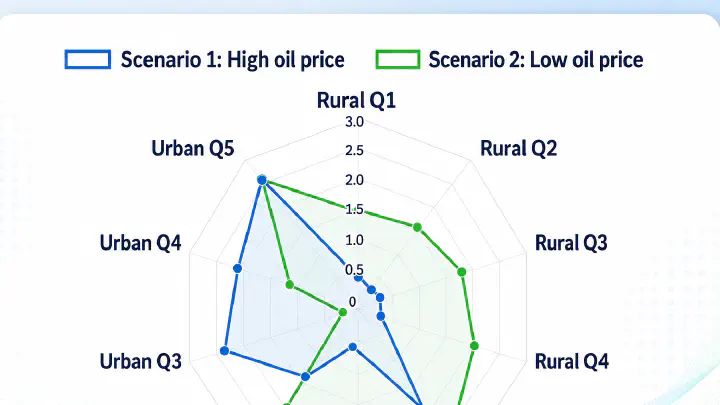
  • Integrated Visual Analytics: Explore results through charts, time series, maps, dashboards, and other interactive views.
  • Better Model Insight: Use the interface to understand model behavior and spot potential data issues early.

Start Simple, Expand as Needed

Build your first application quickly, then adapt it to fit more advanced workflows as requirements grow.

Quick Setup

Create an application in minutes with configuration-driven tooling and no programming required for the initial build.

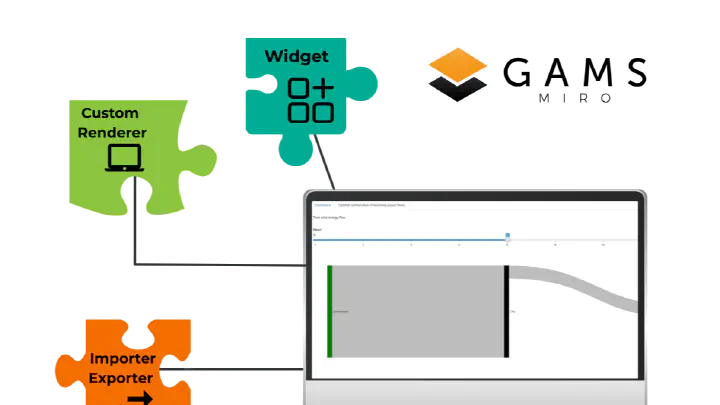
Custom Components

Extend MIRO with tailored visualizations, workflows, and integrations when standard components are not enough.

Applied Domains

Support scenario planning, supply chain optimization, energy system and CGE modeling, and other data-driven decision processes.

Why MIRO?

GAMS MIRO turns optimization models into interactive applications that are easy to use, share, and extend, making advanced analytics accessible to both modelers and non-technical decision-makers:


Visualization & Data Exploration

  • Visualize GAMS data with a wide range of configurable chart types (bar, line, scatter, pie, and more)
  • Analyze multi-dimensional data interactively using the powerful Pivot tool
  • Build, customize, and save dashboards for efficient data exploration
  • Transform complex model outputs into clear, actionable insights

Scenario Management & Analysis

  • Store inputs and outputs of all model runs in a centralized database
  • Organize and retrieve scenarios efficiently using tags and filters
  • Compare different runs to understand the impact of changing assumptions
  • Perform structured parameter studies with hypercube jobs for multi-dimensional exploration

Customizability

  • MIRO is open source and based on R-Shiny
  • Extend applications with custom R code for tailored visualizations, workflows, and analysis
  • Adapt the interface to specific use cases, from simple tools to advanced decision-support systems

Deployment Options

GAMS MIRO can be deployed in different ways, depending on your technical requirements, scale, and collaboration needs.


MIRO Desktop

MIRO Desktop

A fully local installation, ideal for development, prototyping, and single-user scenarios.

  • Runs entirely on your local machine, including GAMS and solvers
  • Full control over your environment and data
  • Well suited for model development and testing
MIRO SaaS

MIRO SaaS

A fully managed, cloud-based solution accessible from any modern web browser, including mobile devices.

  • No local installation required for end users
  • GAMS manages infrastructure and scaling in secure data centers
  • Ideal for sharing applications with multiple users across locations
  • Enables collaboration and centralized access to models and data

MIRO Server can also be fully self-hosted. This will also require an installation of GAMS Engine as the compute backend.

Learn more

Explore additional resources to get a deeper understanding of GAMS MIRO and its capabilities:


Example Applications

Explore sample MIRO apps and interactive dashboards.

Explore

Case Studies

See how MIRO is used in real-world decision-making scenarios.

View case studies

Blog

Discover insights, tutorials, and best practices.

Read blog

Documentation

Learn how to build and customize your own MIRO applications.

View docs

Talk to us about GAMS MIRO

Contact our sales team if you would like to discuss deployment options, request a detailed quote, or ask for an evaluation copy.